
Table of Contents
Table of Contents
Maximising Local Conversions at a Glance - Key take aways
-
What it is: Google Ads remarketing serves targeted ads across the internet to users who previously visited your website.
-
Why Cape Town brands need it: Local market competition across the CBD, Northern Suburbs, and Southern Suburbs is fierce; remarketing converts window shoppers into paying customers.
-
The 2026 Privacy Reality: Due to recent Google protocol updates, success relies heavily on implementing Consent Mode v2 and robust first-party customer data instead of outdated third-party tracking.
-
Core Business Benefit: It lowers your overall Cost Per Acquisition (CPA) because you target a warm, pre-qualified audience.
Re-Engaging the Mother City
What is Google Ads Remarketing?
Google Ads Remarketing is a digital marketing strategy that allows businesses to show targeted ads to users who have previously visited their website or mobile application. By using secure first-party cookies and Google Consent Mode parameters, the platform identifies these past visitors as they browse the web including Google Display Network, watch YouTube videos, or use Google Search, prompting them to return and complete a conversion action.
Why is remarking important for my Cape Town Business?
The Cape Town marketplace has a mix of hyper-local businesses, tourism giants, wineries, and rapidly scaling tech startups. Because consumers face an overwhelming array of choices, a single website visit rarely results in an immediate sale.
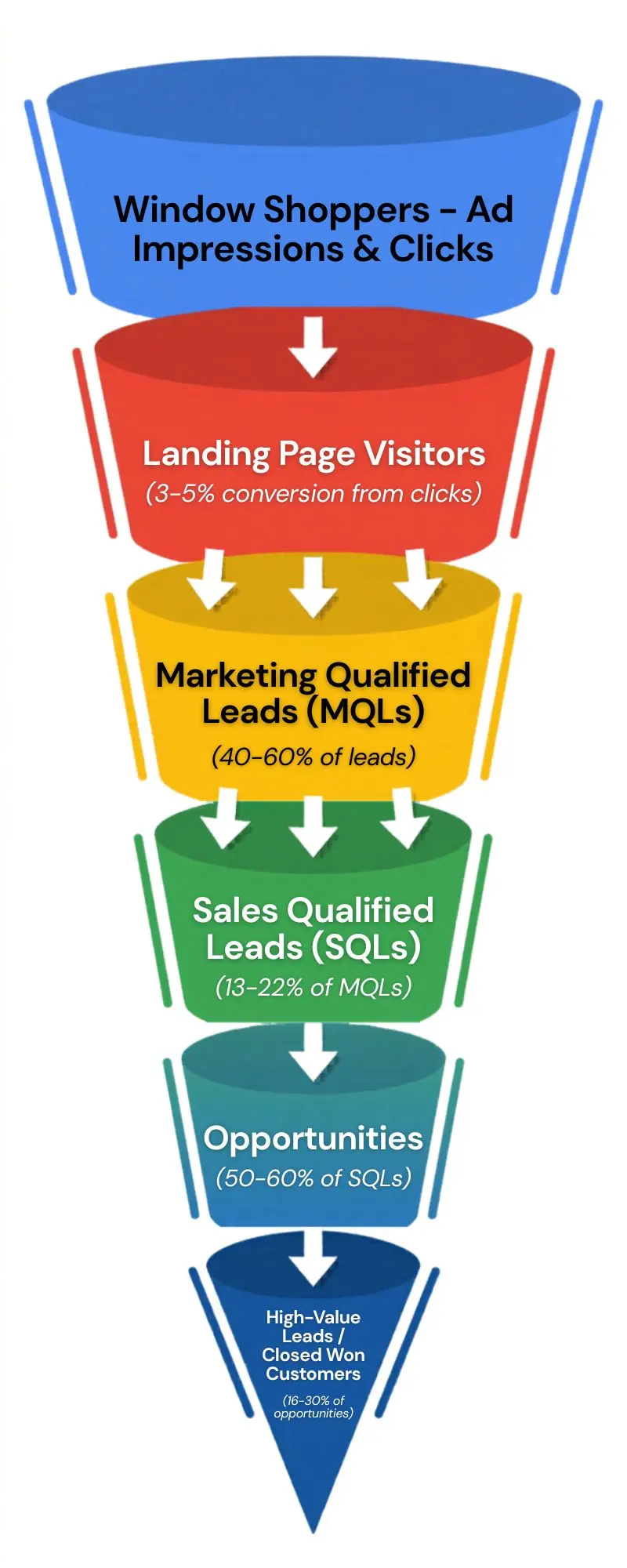
For example , a customer looking for an interior designer in Woodstock or a car rental service at Cape Town International Airport will likely browse four or five competing websites at the same time If they close your tab, they might completely forget your business name. Remarketing solves this specific problem by repeatedly placing your brand in front of them while they check the local news on News24 or watch videos on YouTube.
Framework Evolution: Pre-2026 vs. Post-June 2026
| Feature Requirement | Old Framework (Pre-2026) | New Reality (Post-June 2026 Update) | Action Step Required |
|---|---|---|---|
| Data Source | Third-party tracking cookies & GA4 Signals | First-party data inputs & Consent Mode v2 | Implement Server-Side GTM tagging |
| Audience Control | Automated cross-device linking | Explicit ad_personalization user consent | Deploy a compliant Cookie Banner |
| Bidding Strategy | Manual Cost-Per-Click (CPC) | High-Value Mode / Smart Bidding | Feed clean first-party signals to Google AI |
Core Remarketing Types for Our Brand Solutions
To maximise your performance, you must understand the different types of remarketing available within the Google Ads ecosystem. We recommend using a combination of these approaches depending on your specific business goals:
1. Standard Remarketing
This classic method serves static or responsive display ads to past visitors as they browse websites within the Google Display Network. For instance, if you manage a guest house in Franschhoek, standard remarketing allows you to display beautiful imagery of your guestrooms to users who viewed your booking page three days ago.
2. Dynamic Remarketing
Dynamic remarketing takes personalization to the next level. It reads the exact product ID or service page a user viewed and pulls that exact item directly into the ad creative.
-
E-commerce: If a customer views a pair of artisanal leather boots on your local shop site, dynamic ads will show them those exact boots along with a "10% Off Your First Order" incentive.
-
Real Estate: If a buyer explores a two-bedroom apartment listing in Sea Point, the dynamic ad displays that precise property while they browse unrelated blogs online.
3. Customer Match (First-Party Data Uploads)
Customer Match allows you to upload your internal CRM lists— like email addresses or phone numbers—straight into Google Ads.
4. Demand Gen and Video Retargeting
With Google phasing out legacy video types Demand Gen campaigns now run the show across YouTube, Shorts, Discover, and Gmail.
Real-World Inspiration: Cape Town Case Studies
Case Study 1: The Fisch Hoek BNB
-
The Challenge A bnb in Fisch Hoek noticed a high shopping cart abandonment rate on its direct booking engine, with inter provincial travelers leaving during the checkout phase.
-
The Strategy: The agency put in place a multi-tiered Google Ads remarketing campaign. They segmented users who spent more than two minutes on the suite selection page but did not convert. They excluded past converters to avoid wasting ad spend. The team then deployed responsive display ads highlighting a complimentary bottle of local wine and breakfast included for all direct re-bookings.
-
The Results: Within 60 days, the bnb achieved a 410% Return on Ad Spend (ROAS) and decreased its overall dependency on costly third-party booking platforms like Booking.com.
Case Study 2: The Solar and Inverter Installer
-
The Challenge: A commercial solar engineering company based in Bellville struggled to convert high-volume, top-of-funnel search traffic into qualified commercial quotes due to long decision-making timelines.
-
The Strategy: The company launched a dedicated remarketing campaign using Google's newly enhanced AI Max for Search alongside customer case study videos via Demand Gen. When prospects who had visited the "Commercial Solar Cost Guide" page searched for broader industry terms later, Google prioritized showing them personalized text ads highlighting the company's 10-year local warranty.
-
The Results: Lead quality improved dramatically. The company observed a 34% reduction in Cost Per Lead (CPL) and a substantial increase in corporate project sign-offs across the Western Cape.
How to set up retargeting correctly
Building an effective remarketing machine requires precision setup. Follow this systematic blueprint to guarantee optimal performance:
Step 1: Install the Google Tag Correctly
First, use your global Google Tag or set it up via Google Tag Manager (GTM).
Step 2: Establish Your Core Audience Segments
Avoid grouping all website traffic into a single massive bucket. Instead, create defined, strategic lists inside your Google Ads Audience Manager:
-
All Visitors (Past 30 Days): Ideal for broad brand awareness campaigns.
-
Product/Service Page Viewers: Perfect for specific, high-intent product promotion.
-
Cart Abandoners (Past 7 Days): Your highest-priority audience; needs immediate ad placement thats aggressive.
-
Past Customers: Use this group to cross-sell or exclude them completely from your introductory acquisition ads.
Step 3: Set Your Frequency Caps
Don't irritate your customers by showing your ad fifty times a day. Set strict frequency caps within your campaign settings (we recommend limiting exposure to 3 to 5 impressions per user per day) to maintain a positive brand perception.
Conclusion
Putting in place an aggressive, privacy-compliant Google Ads remarketing strategy is no longer optional for businesses aiming to dominate the Cape Town marketplace. By intentionally targeting individuals who have already expressed interest in your products or services, you effectively cut through the digital noise, maximize your ad budget, and significantly boost your bottom line. Take control of your first-party data, configure your consent parameters properly, and watch your local conversion rates climb.
Frequently asked questions
Do I need a high volume of web traffic to start Google Ads remarketing?
To protect user privacy, Google requires a minimum of 100 active users on the Google Display Network and at least 1,000 active users on the Google Search Network within the past 30 days before your remarketing ads can officially start serving.
How does South Africa’s POPIA affect my remarketing campaigns?
The Protection of Personal Information Act (POPIA) mandates that you must obtain explicit consent before tracking user behavior for marketing purposes. You must utilize a compliant Consent Management Platform (CMP) to capture user preferences before your Google tags load.
What is the difference between standard retargeting and dynamic remarketing?
Standard remarketing serves generalized ads to anyone who visited your website. Dynamic remarketing automatically showcases the specific products, services, or pricing tiers that a user explicitly viewed on your site, yielding far higher click-through rates.
Why are my Google Ads remarketing lists not growing?
This usually occurs due to an incorrect Google Tag implementation, missing consent signals via Consent Mode v2, or simply low baseline web traffic. Check your tag health inside Google Ads under the "Audience Sources" dashboard to diagnose errors.