Table of Contents
The short answer: what are the five mistakes?
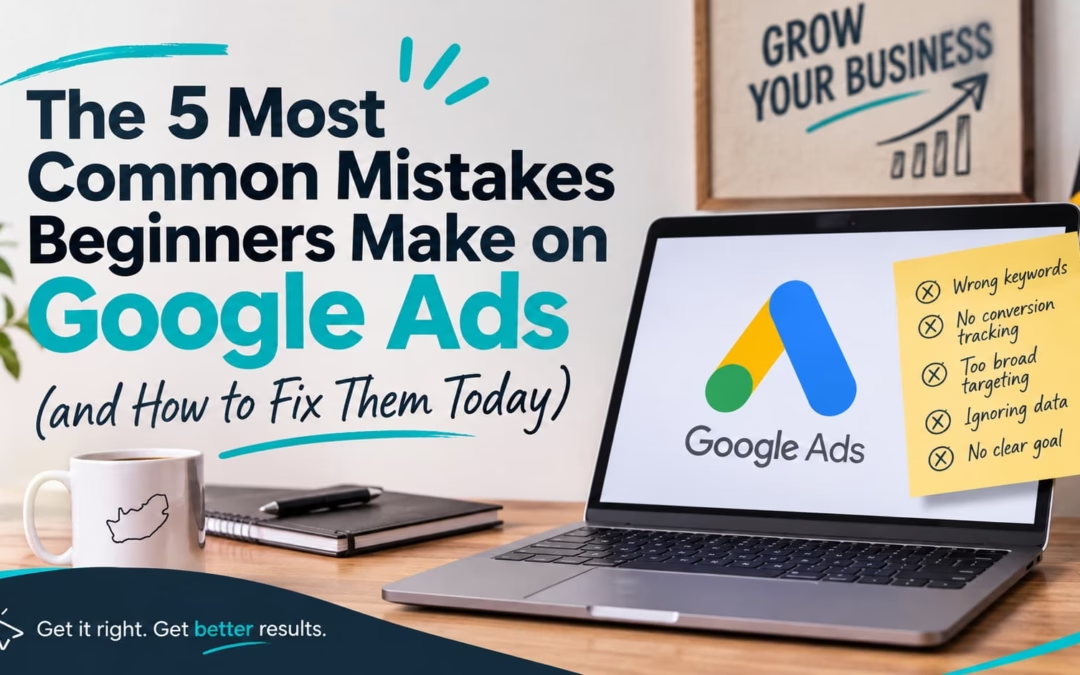
South African beginners most often skip conversion tracking, ignore negative keywords, accept default location settings, send clicks to weak landing pages, and trust automation too early. Here is each mistake with its fix:
1. No conversion tracking: Track calls, WhatsApp clicks and forms.
2. No negative keywords: Block searches from freebie hunters and job seekers.
3. Default location settings Switch to “Presence” and target your service area.
4. Weak landing page: Build one page per service, with Rand prices and a WhatsApp button.
5. Blind trust in automation: Set a Rand budget and review weekly.
Auditing your ads
Imagine this : you spend R6 000 on Google Ads this month. R1 500 of it pays for people typing “geyser technician jobs” and “diy geyser repair”. Not one of them will ever phone you.That leak is common, and you can fix it. South African beginners make five Google Ads mistakes, and you can correct every one in a single afternoon. Mistake three hides behind a menu most beginners never open, so read on.
Mistake 1 Why is running Google Ads without conversion tracking so costly?
You cannot fix what you cannot see. Without conversion tracking, you pay for clicks and guess about customers. A conversion is any valuable action, such as a quote request, a phone call or a WhatsApp tap. Skip tracking, and you never learn which keywords earn money and which only burn it.
- The hidden cost: You keep funding keywords that never convert, and Google’s automated bidding has nothing to learn from.
- The local twist: Plenty of South African customers call or WhatsApp instead of filling in a form, so form-only tracking misses real leads.
The solution
- First, follow Google’s guide to set up conversion tracking for your website.
- Next, create separate conversion actions for forms, phone calls and WhatsApp clicks. Google lists the different ways to track conversions, including phone calls.
- Then test each action with a real enquiry from your own phone.
- Finally, wait for data before you touch your bids.
Mistake 2: How do negative keywords stop you wasting money?
Your ads should attract people who want to use your product or services. . Negative keywords stop your ads showing for searches you never want, so you pay only for people ready to act. A negative keyword is a word or phrase you tell Google to exclude. Without them, your ads attract freebie hunters, DIY fans and job seekers.Here is what a Johannesburg geyser repair company might find in its search terms:
Fix it today
- Open your search terms report and read every query that triggered your ads. Google shows how to get negative keyword ideas from the search terms report.
- Add irrelevant terms such as “free”, “jobs”, “course” and “DIY” as negatives.
- Add plurals and synonyms separately, because negative keywords do not match close variants.
- Put a 15-minute weekly review in your diary, and repeat.
Mistake 3: Which location setting should South African businesses use?
Here is the quiet one. Most local South African businesses should target specific cities, suburbs or a radius, and then switch the location option to “Presence”. Google Ads defaults to “Presence or interest”, which also reaches people outside your area who have shown interest in it. As a result, a Pretoria electrician can pay for clicks from people elsewhere who simply searched for “Pretoria”.
The solution
- Open your campaign settings and choose Locations.
- Pick cities, provinces or a radius around your premises, not the whole of South Africa.
- Open Location options and choose Presence if you serve customers in person. Read Google’s guides to advanced location options and targeting ads to geographic locations first.
Mistake 4: Why do my Google Ads clicks not turn into leads?
A great ad still fails when the landing page, the page visitors see after clicking, loads slowly, looks generic or makes contacting you hard. Beginners often send every ad to the homepage. Instead, send each ad group to a page about that exact service.
- Match the message: If your ad promises “solar installation Cape Town”, the page headline must say it too.
- Show prices in Rand: A line like “from R1 950” filters out tyre-kickers and builds trust.
- Add WhatsApp and click-to-call buttons: Put them at the top of the mobile page, where thumbs land first.
- Prove you are real: Show reviews, photos of your team, years in business and accreditation logos.
Mistake 5: Should beginners trust Google Ads automation and recommendations?
Automation helps only when give it the right type of data. Smart Bidding is Google’s machine-learning system that sets bids for you, and it learns from your conversions. Consequently, mistakes one to four feed straight into this one: bad data produces bad bids.
- Set a realistic Rand budget: Multiply the leads you want by the cost per lead you can afford. Then check Google Ads Keyword Planner for suggested bid estimates before you commit.
- Resist daily tinkering: Significant changes can restart Smart Bidding’s learning period, so read Google’s explanation of how Smart Bidding learns and wait before you adjust.
- Test every recommendation against your goal: Accept suggestions that lower your cost per lead. Decline those that only raise your budget or widen your keywords.
- Schedule a weekly review: Spend 30 minutes on search terms, conversions, location reports and cost per lead.
So, what should you do next?
You now know exactly where the rands leak. Conversion tracking shows what works. Negative keywords stop the waste. Location settings keep your ads local. A sharp landing page turns clicks into calls. Careful automation protects the whole system.
Start small. Set a 15-minute timer, open your search terms report, and add your first five negative keywords. Then fix one more mistake each day this week. By Friday, every rand in your Google Ads account will work harder for your business